Platform & Tools
Docker
-
Change
RUN_TIMEin yaml to your needs - You need to use 24H Time Format- The Script gets executed on the Times you specified
- Before starting the scheduled run it checks if another Posterizarr process is running, if yes - the scheduled run will be skipped.
- If set to
disabled, the script will not run on a schedule but will still watch for file triggers and respond to manual triggers. - Required at
disabledfor the UI & if you want to set the schedules there.
- Change
volumeandnetworkto fit your environment (Make sure you have the same network as your plex container when you use local IP of plex) - Change
TimeZoneto yours, otherwise it will get scheduled to a different time you may want it to. - Add
DISABLE_UIand set it totrueif you want to disable the UI. - Change
APP_PORTand set it to your prefered port (9000also update it in compose ports block) - For external schedulers (for example Kubernetes CronJob), start the container with
--run(or-Run) soStart.ps1skips internal scheduling and executes immediately once. - You may also have to change
user: "1000:1000"(PUID/PGID)
If you manually want to run the Script you can do it this way:
Automatic Mode:
Testing Mode:
Manual Mode (Interactive):
Backup Mode:
SyncJelly Mode:
SyncEmby Mode:
Poster reset Mode:
Tip
If you did not used pwsh on docker exec you can do it this way.
Inside your Unraid or Bash or Sh console:
unRAID
Tip
If you are an unRAID user, just use the Community app from @nwithan8 it is listed in Store.
- Change
RUN_TIMEto your needs - You need to use 24H Time Format- Example:
06:00or06:00,14:00.....
- Example:
- AssetPath in config needs to be
/assetsnot the path you entered.
Jellyfin
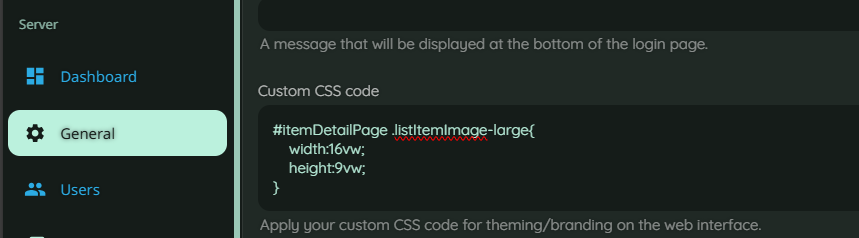
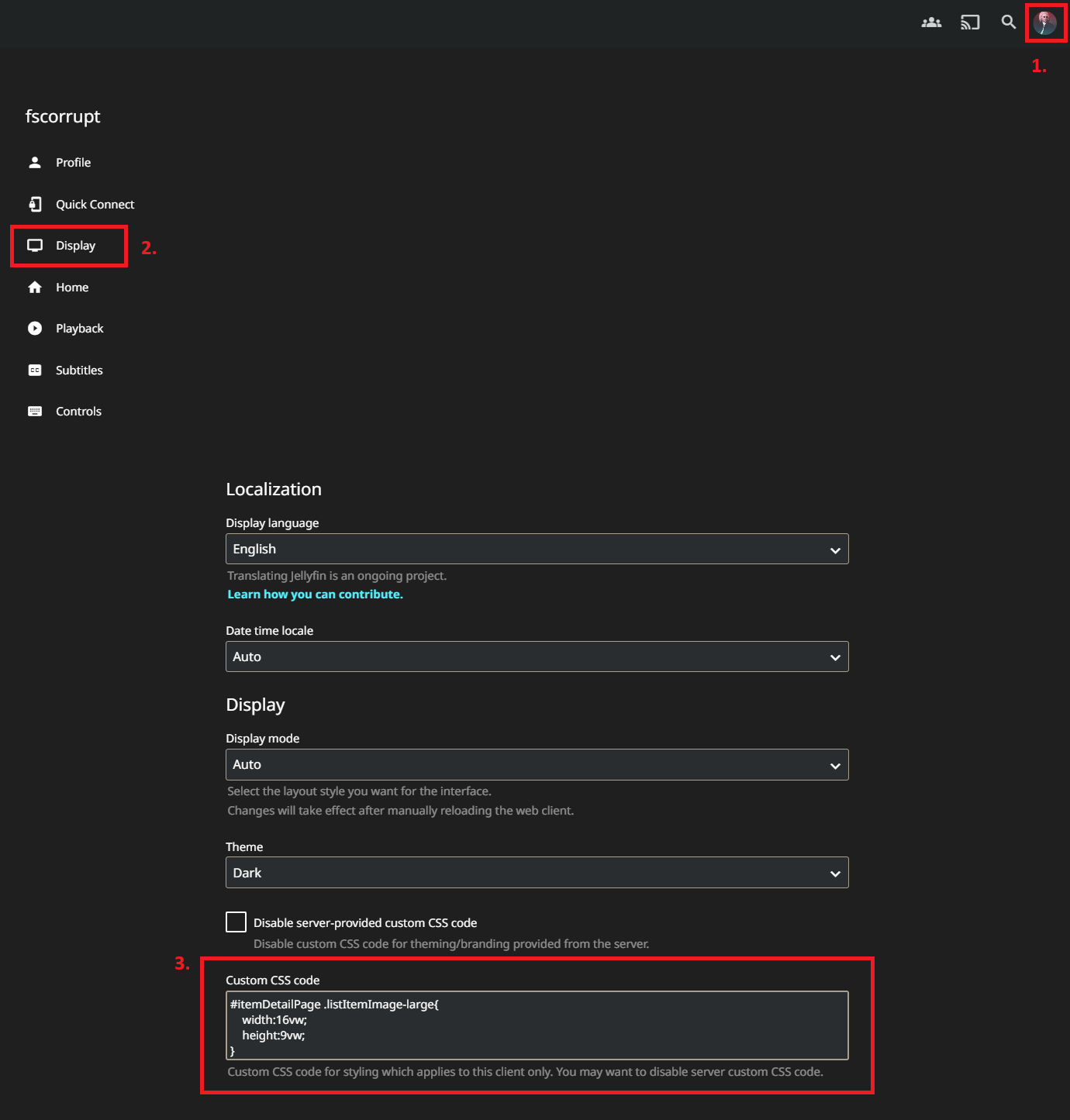
In order to view the 16:9 episode posters without getting cropped to 3:2, you need to set a css.
Container Variables
| Variable | Default | Description |
|---|---|---|
| RUN_TIME | disabled | A comma-separated list of 24-hour times (e.g., 03:00,15:00) for scheduled runs. If set to disabled, the UI will handle scheduling. |
| APP_PORT | 8000 | The Web UI Port. |
| DISABLE_UI | false | Set to true to disable the Web UI. |
| ARR_WAIT_TIME | 300 | The time in seconds to wait after an Arr trigger to allow media servers (Jellyfin/Plex) to finish scanning. |
For one-shot runs without the internal scheduler loop, pass this startup arg:
This is intended as a container startup argument.
Docker run example:
docker run --rm \
  -e TZ=Europe/Berlin \
  -e RUN_TIME=disabled \
  -e DISABLE_UI=true \
  -v /opt/appdata/posterizarr:/config:rw \
  -v /opt/appdata/posterizarr/assets:/assets:rw \
  ghcr.io/fscorrupt/posterizarr:latest \
  --run
Docker Compose example:
services:
  posterizarr:
    image: ghcr.io/fscorrupt/posterizarr:latest
    command: ["--run"]
    environment:
      - "RUN_TIME=disabled"
      - "DISABLE_UI=true"
Kubernetes CronJob container args example:
CSS Client side How-To
CSS Server wide How-To