What Posterizarr Can Do
A COMPLETE ARTWORK WORKFLOW
Set the look you want for each artwork type. Posterizarr keeps creating it for your library, then adds native Dynamic Overlays when you want extra information.
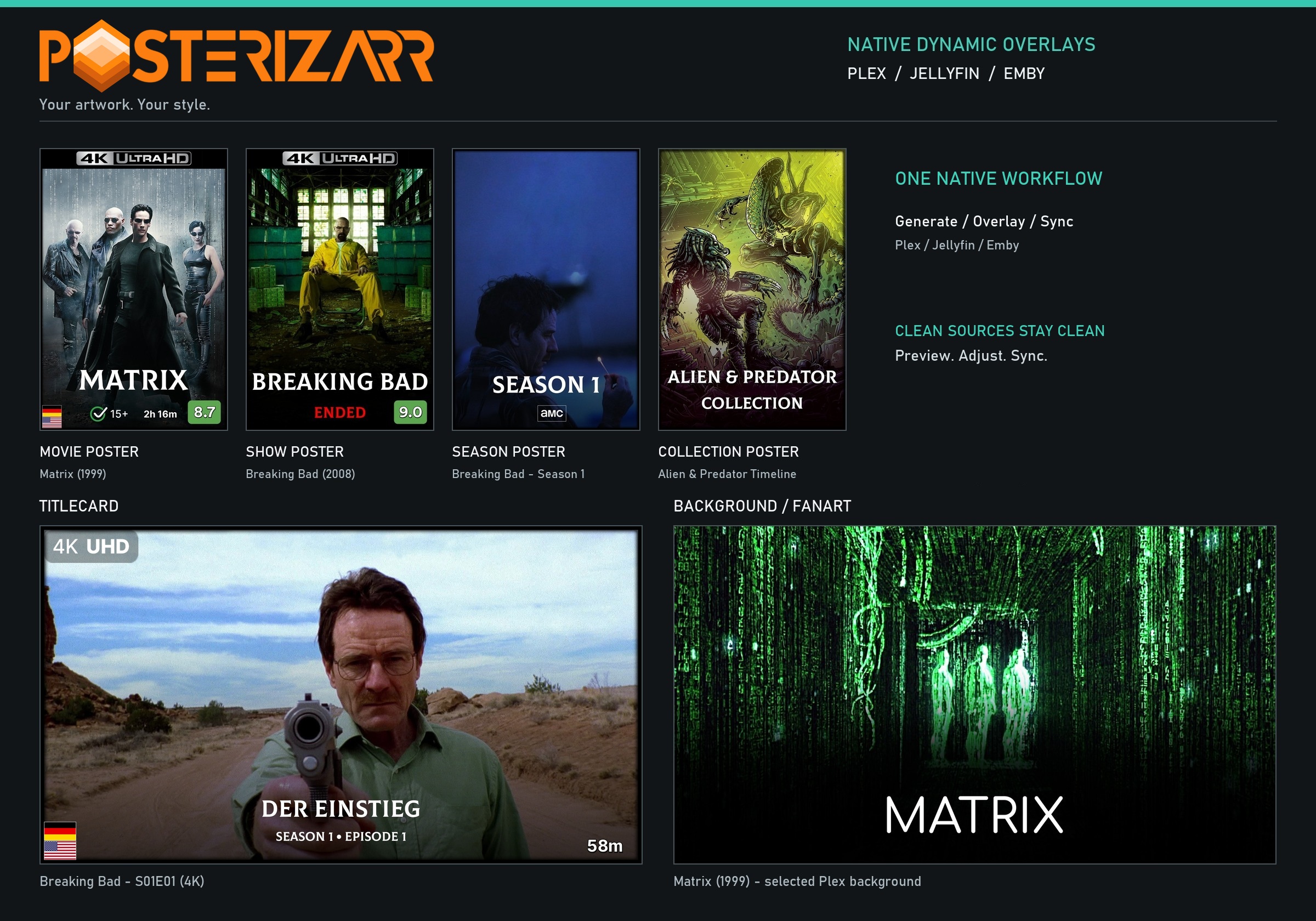
Everyday setup and operation happen in the Web UI. Choose the media server and libraries, set the artwork style you want, and use the UI to test, run, review, and automate. You do not need a command line for everyday use.
Set up the artwork style once
Choose how posters, season posters, backgrounds, and titlecards should look. Posterizarr applies your provider order, language preferences, image-quality rules, text, logos, borders, and templates to the asset types you enable. You can tune each type or library independently, reuse local assets, and choose a Blueprint when you want a ready-made setup.
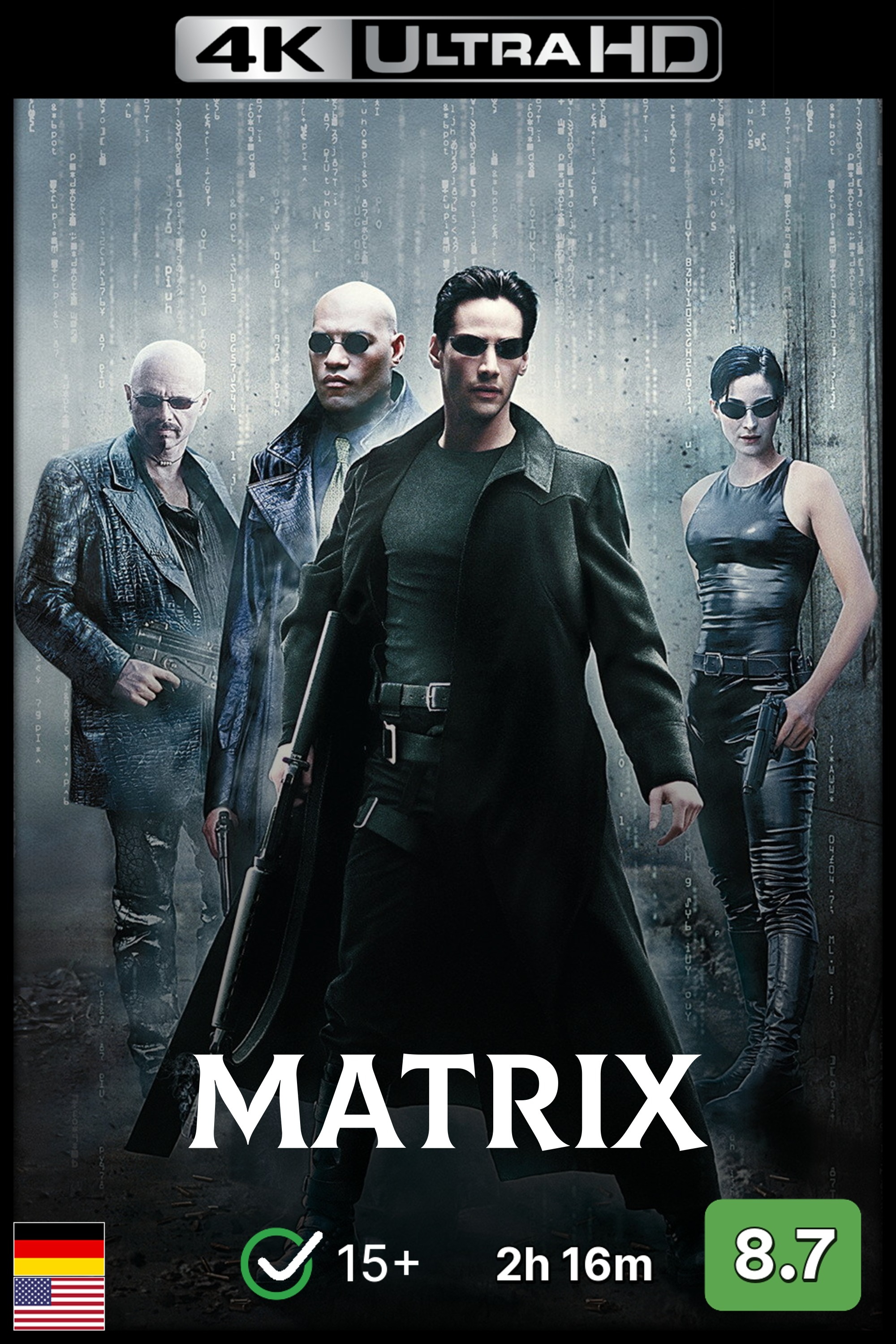
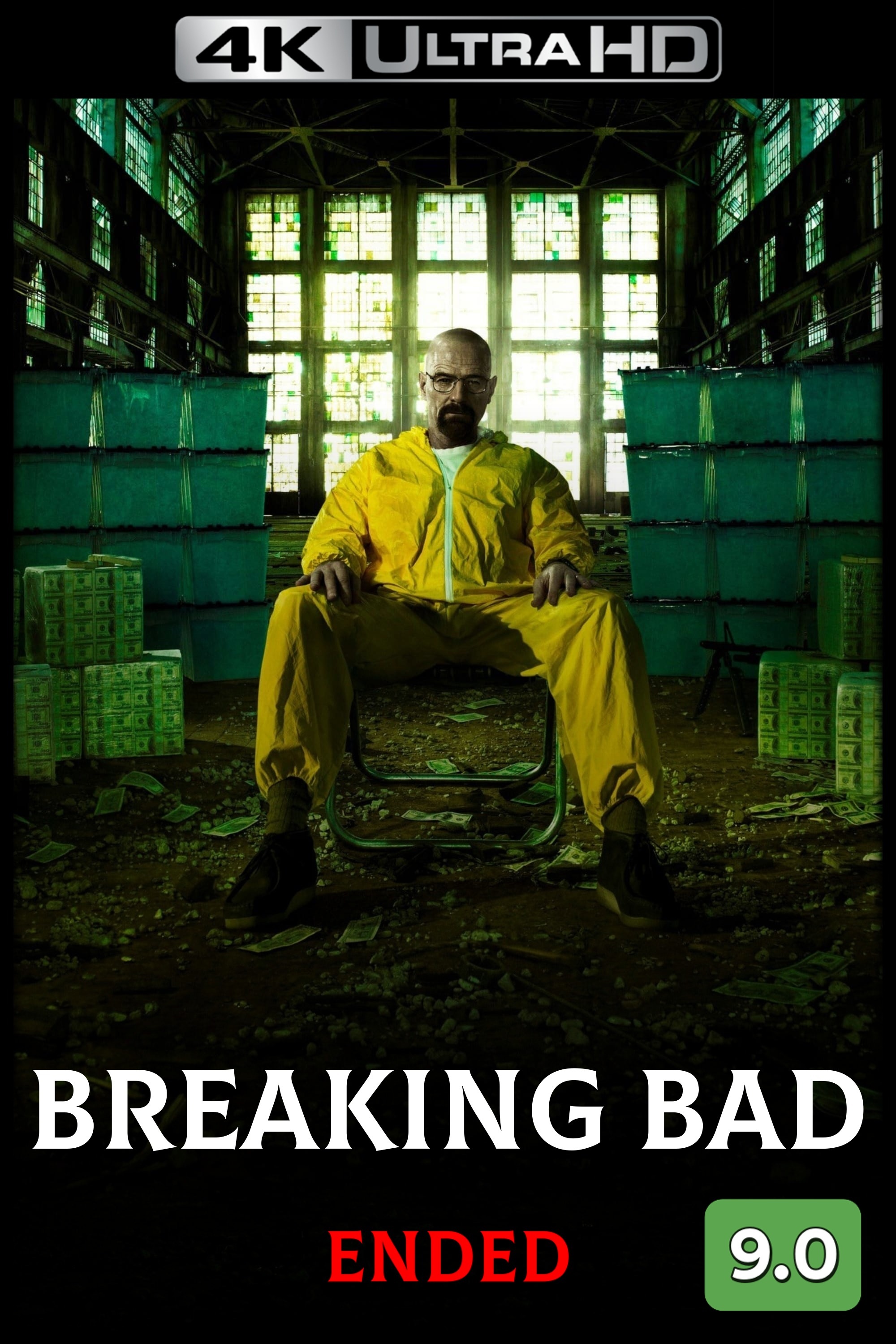
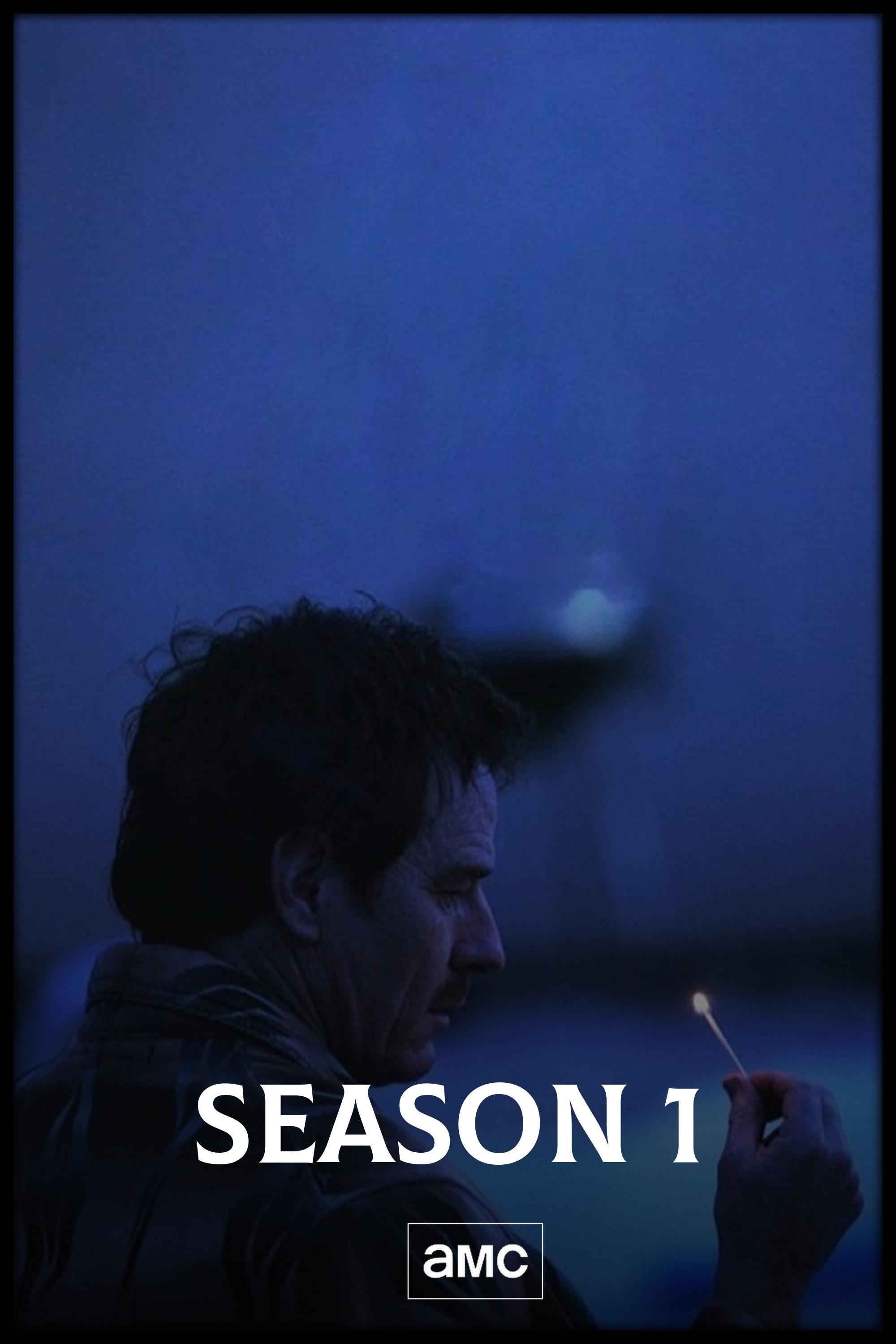
Explore the artwork showcase · Configure artwork preferences · Browse Blueprints and recipes
Add Dynamic Overlays on top
The native Dynamic Overlays builder adds supported metadata badges to posters, season artwork, titlecards, and backgrounds. Set rules per library and artwork type, arrange badges in the visual editor, and preview or Dry Run before uploading. Overlay compositing happens in memory, so clean source artwork stays unchanged on disk. A separate Kometa installation is optional, not required.
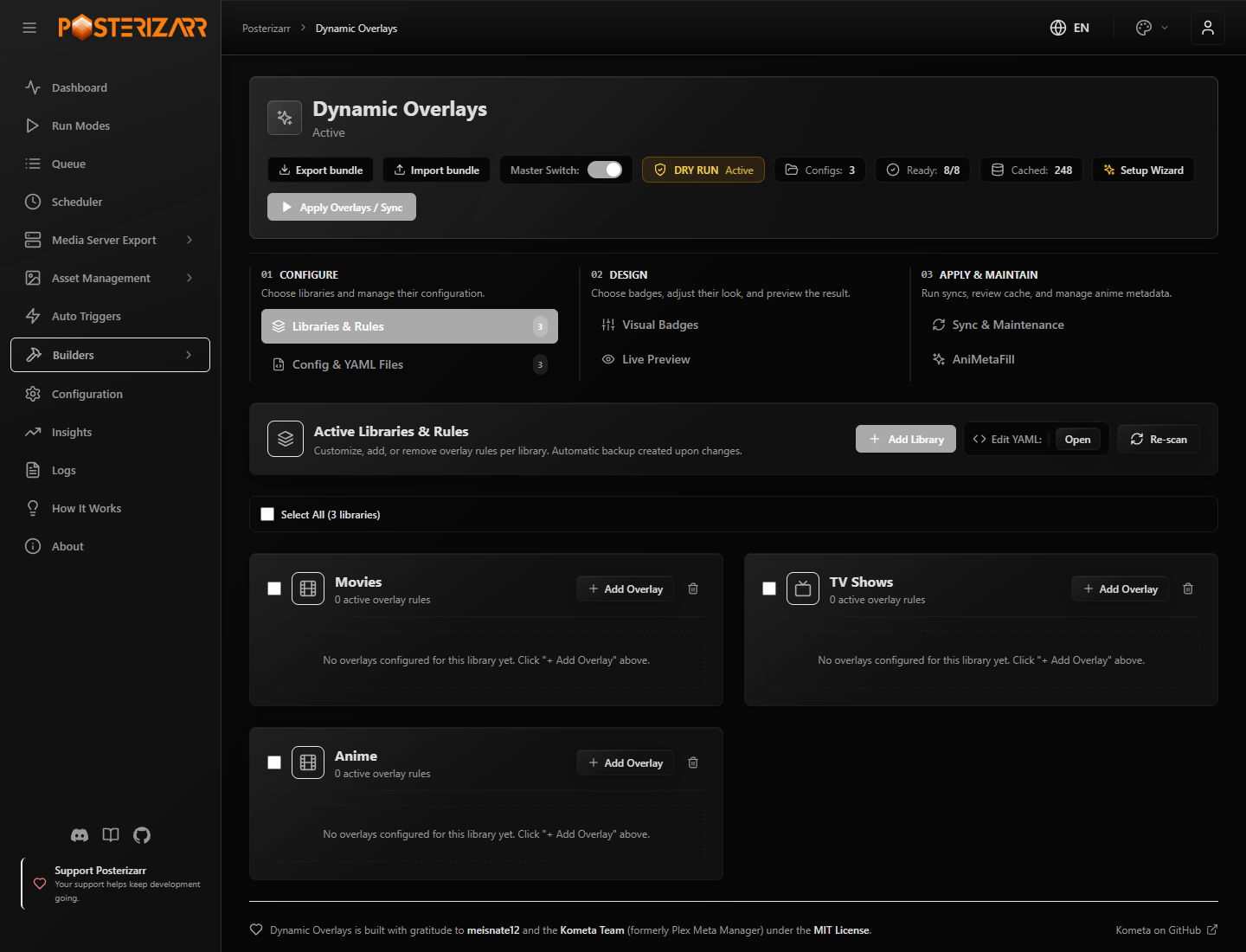
Navigate to Builders > Dynamic Overlays in the sidebar to configure rules, preview badges, or run a sync.
Open the Dynamic Overlays guide · Browse the artwork gallery · Read about optional Kometa compatibility
Keep IMDb Lookups Local
Import IMDb's official ratings, episode, and title dumps into a local database. Posterizarr can fill missing IMDb ratings from that index, match episodes conservatively, and let you correct episode IDs or season numbering locally. Successful local lookups avoid per-item provider requests; other sources and unresolved items can still need external providers.
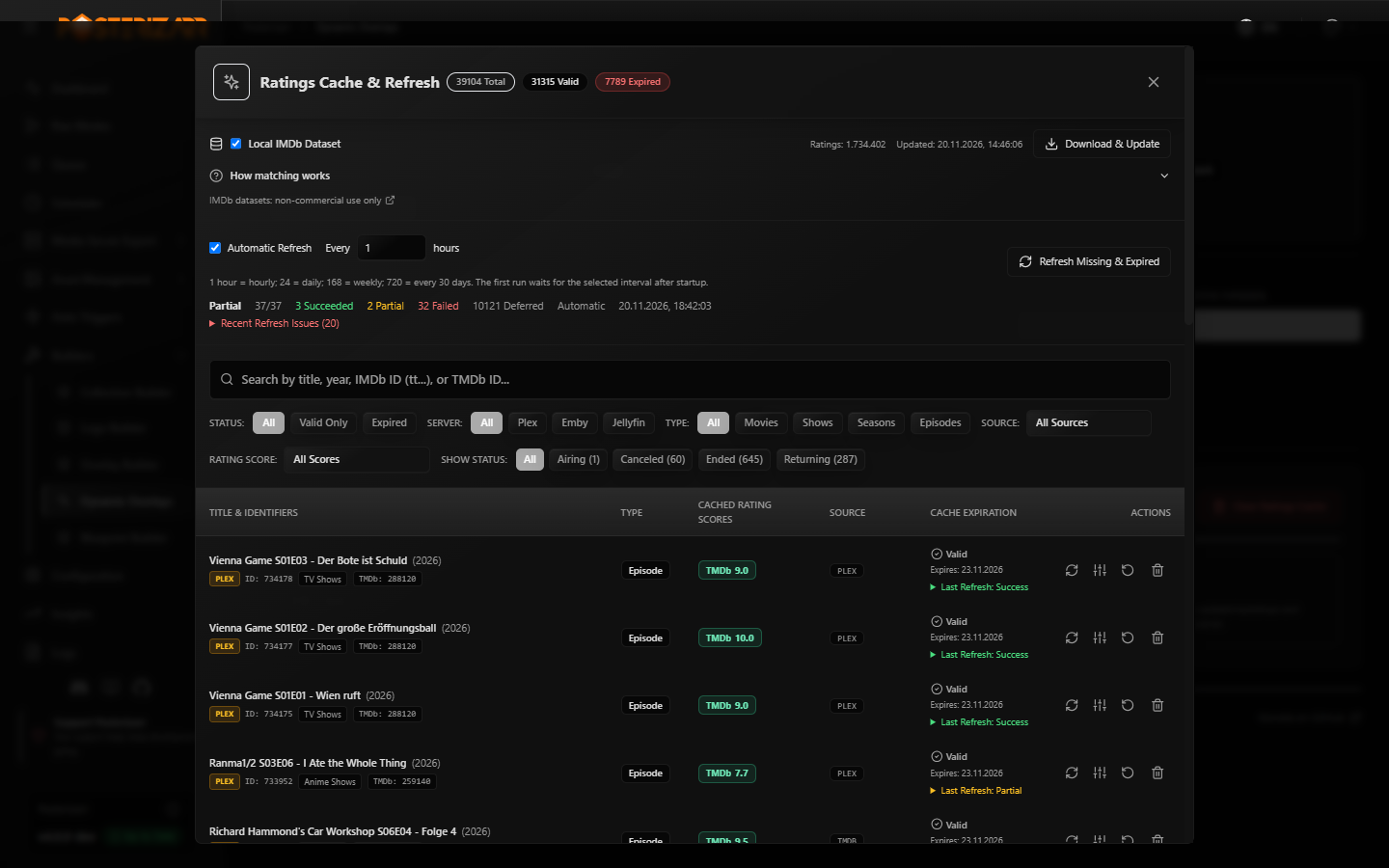
Navigate to Builders > Dynamic Overlays > Sync & Maintenance > Ratings Cache, then choose Browse Ratings to open Ratings Cache & Refresh, manage the local IMDb dataset, and filter cached provider scores.
Set up the local IMDb dataset. The datasets are optional, require disk space for indexing, and are licensed by IMDb for non-commercial use only.
Manage and automate from the Web UI
Use the dashboard to monitor runs, the Action Center to review assets, and Testing Mode to check sample output before changing a live library. The Web UI also includes manual asset creation, backups and restores, logs, scheduled runs, and supported Tautulli or Sonarr/Radarr webhooks.
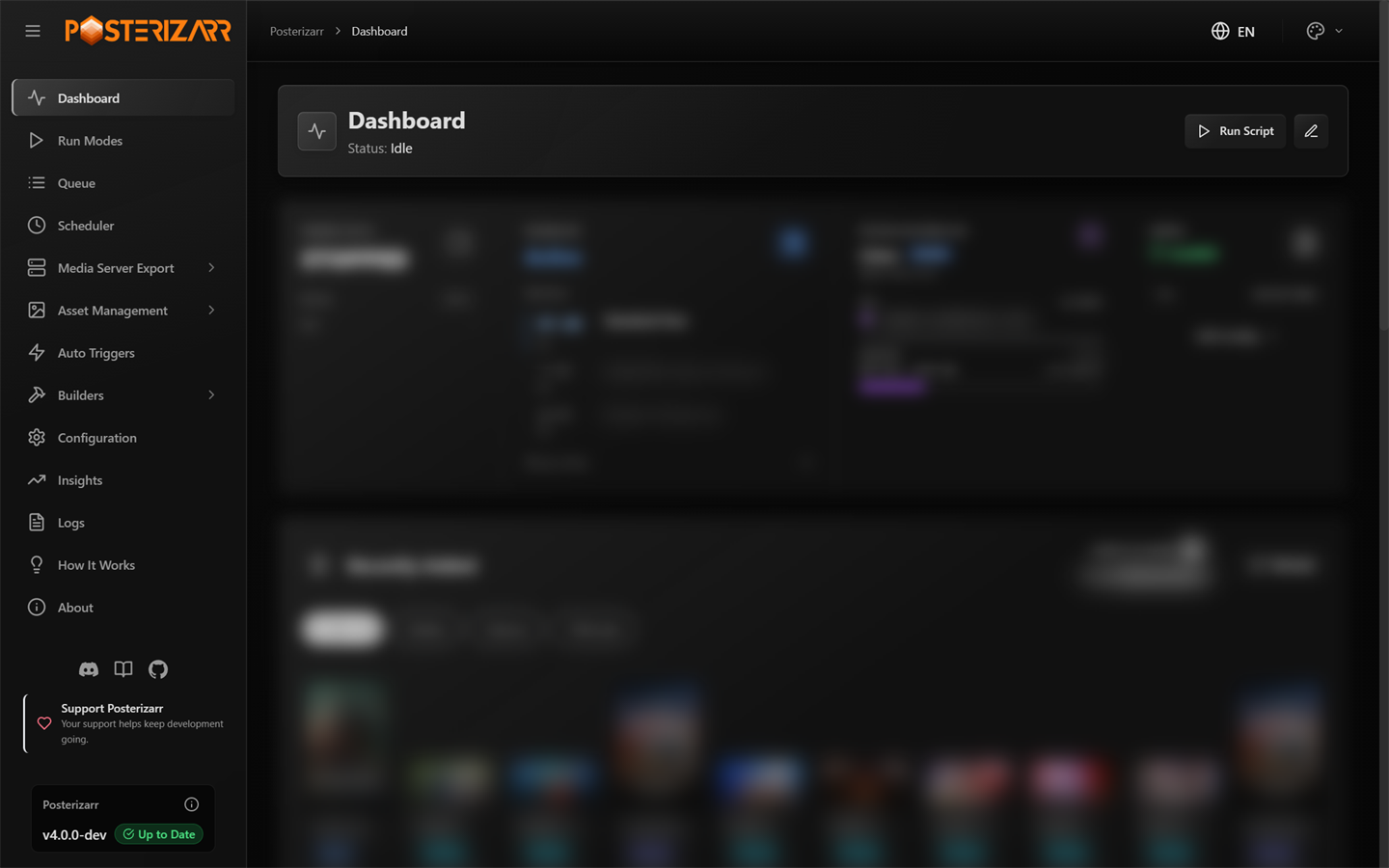
Navigate to Dashboard in the sidebar to check status, schedules, configuration, recent assets, and logs.
See all Run Modes · Review assets in Action Center · Set up your first run
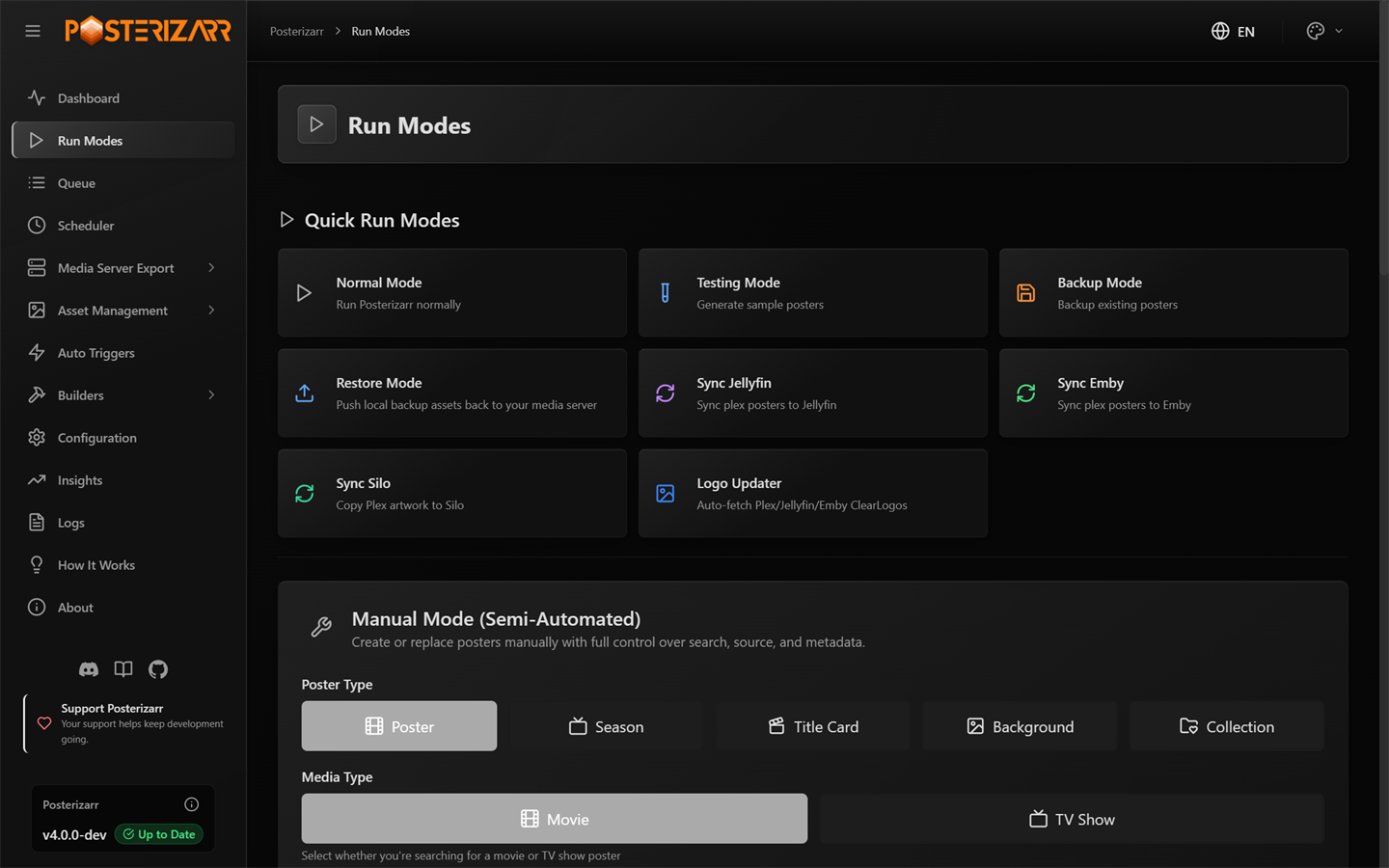
Navigate to Run Modes to test, run, back up, restore, sync, or create one asset manually.
Configure each artwork type
The Web UI groups settings by purpose instead of presenting one giant form: system, providers, media servers, global visuals, posters, seasons, backgrounds, title cards, and collections. Search by setting name or value, open a settings card for its controls, then save changes in the UI.
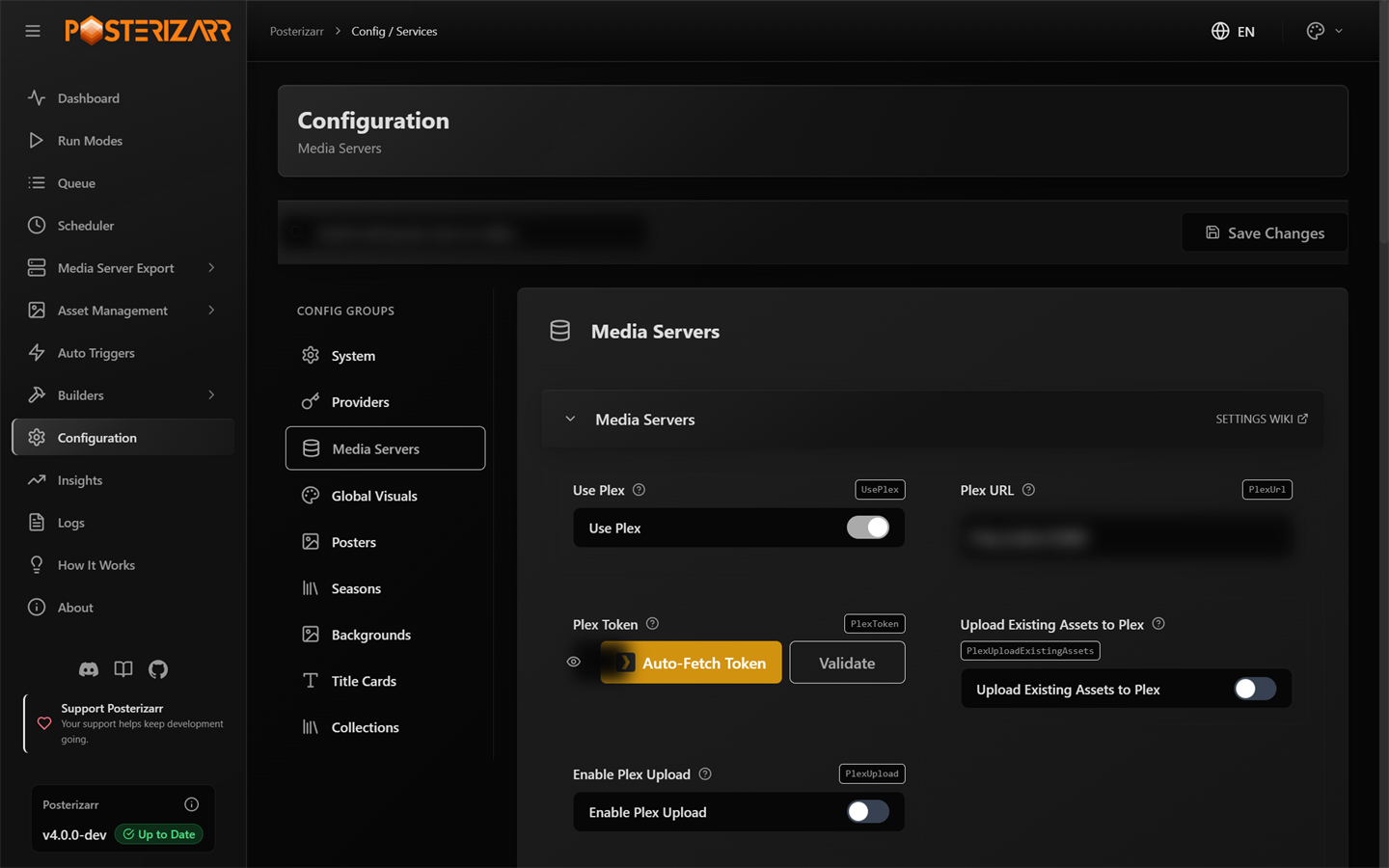
Navigate to Configuration and choose a settings group; use the search field to find a specific option.
Use your preferred media server
Posterizarr supports Plex, Jellyfin, and Emby for its main artwork workflows. Silo support is experimental and does not yet have full feature parity. Optional plugins and integrations extend how local assets or server events are handled. Select only the workflows you use; Kometa, Agregarr, and the media server plugins are optional.
Jellyfin Plugin · Emby Plugin · Agregarr Integration
More useful tools
- Choose artwork sources and quality: provider priority, language order, minimum image sizes, automatic resizing, and handling for multiple media versions.
- Shape each asset type: text, logos, borders, gradients, RTL fonts, title-card fallbacks, and title line-break rules.
- Reuse local work: manual asset preference, Season/Episode templates, and existing assets instead of downloading a new source.
- Protect and maintain libraries: exclusions,
skip_posterizarrtags, change detection, Asset Title Review for renamed titles, backups/restores, and optional cleanup of obsolete assets (including scheduled Plex Image Cleanup). - Review and diagnose: Action Center, Insights analytics with a read-only System Database Browser, searchable logs, sanitized one-click Support Bundles, redesigned About page with inline changelogs and post-update "What's New" notes, and notifications through Discord, Apprise, or Uptime Kuma.
- Automate and integrate: schedules, AniMetaFill anime classification, Tautulli and Sonarr/Radarr webhooks, Plex sync, opt-in External Provider APIs, and optional Agregarr, Jellyfin/Emby plugins, or Kometa workflows.
Full feature reference
Show the full capability list
| Feature | Description |
|---|---|
| Native Dynamic Overlays | - Preview and render supported metadata-driven badges for posters, season artwork, titlecards, and backgrounds in memory. - Upload directly to Plex, Jellyfin, or Emby while preserving clean source artwork. - Use per-library rules, visual controls, readiness checks, Dry Run, targeted sync, and cache inspection. See the Dynamic Overlays Guide. |
| Direct Upload to Media Servers | - Posterizarr uploads generated artwork directly to Plex, Jellyfin, and Emby. No separate artwork or overlay application is required for supported native workflows. |
| Upload Existing Assets | - Configure whether to upload pre-existing assets to Plex, Jellyfin, or Emby, saving time by skipping redundant uploads for libraries with complete artwork. |
| Backup Functionality | - Downloads artwork from Plex to a configured backup share, using an organized library/title layout for local storage and restore workflows. |
| Manual Asset Path (Local Assets) | - Local Asset Preference: Prioritizes assets from a manual asset path if present. Skips download if local assets are available. - Path Configuration: Specify the folder structure in the configuration, saving time and bandwidth by using pre-existing images. |
| Resizing | - Automatically resizes all poster images to 2000x3000 for optimized media server use. |
| Preferred Language Selection | - Configure language preferences for media metadata, supporting multi-language ordering. - Season-specific language preferences allow finer control over metadata for localized season information. |
| Poster and Background Minimum Size | - Set minimum dimensions for posters (2000x3000) and backgrounds/title cards (3840x2160), ensuring only high-quality images are used. |
| Overlay Effects | - Applies optional overlays to downloaded images: - Borders: Adds polished framing. - Text: Customizable title text. - Gradient Overlay: Stylish gradient effect (custom options via gradient pack). |
| Automatic Library Search | - Autonomously scans Plex, Jellyfin, or Emby server for libraries, simplifying setup. |
| Handling Multiple Versions | - Manages multiple versions of movies/shows (e.g., theatrical cuts, director’s cuts), ensuring complete coverage for all available versions. |
| CSV Export | - Generates a CSV file with queried movie/show data: - Plex: $ScriptRoot\logs\PlexLibexport.csv- Other Media Servers (Jellyfin/Emby): $ScriptRoot\logs\OtherMediaServerLibExport.csv |
| Logging Capabilities | - Creates logs for troubleshooting and analysis: - General script log: $ScriptRoot\logs\Scriptlog.log- ImageMagick commands log: $ScriptRoot\logs\ImageMagickCommands.log- Choices log: ImageChoices.csv |
| Uptime-Kuma | - Sends notifications to Uptime Kuma to monitor script activity for success and failure. |
| Notifications | - Sends notifications about script activity using Apprise or Discord. - Configuration: See notification settings in the Configuration Guide. |
| Cross-Platform Compatibility | - Runs on Linux, Docker, and Windows (Plex, Jellyfin, and Emby compatible), ensuring versatile usage in various environments. |
| Poster/Background/TitleCard Creation | - Searches for high-quality artwork from Fanart, TMDb, TVDb, Plex (fallback: IMDb). - Resizes to: - 3840x2160 for backgrounds and title cards. - 2000x3000 for posters. |
| Library Exclusions | - Specify libraries to exclude from processing on Plex, Jellyfin, and Emby servers, helping to avoid unnecessary processing for selected content categories (e.g., YouTube, Audiobooks). |
| Clearlogo Management | - Browse libraries and search for clearlogos by title or ID (TMDB/TVDB) directly from the WebUI. - Fetch clearlogos from Fanart, TMDB, or TVDB and seamlessly push them directly into the connected media server. |
| Skip Items in Libraries | - Exclude items from processing by adding the "skip_posterizarr" label/tag to any item, preventing downloads and uploads for those items. |
| Manual Asset Template | - Place SeasonTemplate.ext or EpisodeTemplate.ext in your ManualAssets/Show directory, and the script will use this template file for all season and episode images during a posterizarr run. |
| Auto-Update Options | - Supports auto-update settings for both Posterizarr and ImageMagick, keeping tools up to date with minimal manual intervention. (Not on Docker) |
| Asset Cleanup | - Automatic asset cleanup removes Posterizarr-created assets when corresponding media is deleted from the media server, ensuring storage efficiency. |
| RTL (Right-to-Left) Font Support | - Supports right-to-left (RTL) fonts for media titles, making it more accessible for non-Latin-based languages such as Arabic or Hebrew. |
| New Line on Specific Symbols | - Automatically adds a new line on specific symbols (e.g., hyphen or colon) within text to enhance visual aesthetics on overlays. |
| Fallback Options for Title Cards | - Uses background images as title cards if title-specific artwork is unavailable. |
| Overlay Reset | - Select a supported movie or TV library in the Reset Posters modal to reset all posters in that library to the media server default. |
| Plex Collection Diff & Sync | - Visual diffing of local collection artwork (Assets/Collections/) against Plex server collections in real-time. - Displays status badges (In Sync, Update Ready, Missing on Plex, No Local Asset). - Allows interactive Local vs Server artwork inspection, 1-click single-collection push, and batch pushing. |
| Plex Asset Sync Scheduler | - Lightweight, pure Python background sync engine for Plex. - Selectively push artwork (collections, posters, seasons, title cards, backgrounds) directly to Plex on a schedule without running full image generation scripts. - Built-in SQLite change tracking prevents duplicate uploads. |
| AniMetaFill | - Scans anime episodes for Canon, Filler, and Mixed status with provider matching and manual overrides. - Supports toggleable overlay categories, per-show thresholds, and optional titlecard badges rendered through Dynamic Overlays. |
| Asset Title Review | - Compares existing text-enabled movies, shows, seasons, and episode titlecards against current media-server titles. - Supports bulk dismissal (Hide selected), queued rebuilds, Fast: Normal Run, and optional automatic regeneration when titles change. |
| Plex Image Cleanup | - Scans Plex metadata directories on a schedule or on demand to locate old, unselected uploaded artwork. - Starts in Read Only (Report) mode by default with an optional Quarantine gallery for review before deletion. See the Plex Image Cleanup Guide. |
| Insights & System Database Browser | - Date-filtered runtime history (24H–ALL), aspect-aware asset thumbnails, and Sample Telemetry Preview.- Includes a read-only, searchable, sortable System Database Browser covering Posterizarr SQLite databases (excluding config.db for security). |
| External Provider APIs | - Opt-in API-key-protected endpoints allowing external tools to fetch or generate isolated artwork (/api/provider/v1/asset) or query cached ratings (/api/provider/v1/ratings). See the External Provider API Docs. |
| About & Post-Update Release Notes | - Displays live runtime environment details, one-click sanitized Copy System Info, inline expandable GitHub release changelogs, and a one-time "What's New" dialog after updating to a new stable release. |
| Optional External Asset Compatibility | - Existing external tools can consume the local library/title artwork layout. - Optional Kometa compatibility remains documented for users who choose to keep a separate Kometa installation; it is not required by the native overlay engine. |